Pixel-perfect AI chat screenshots in one click.

Capture ChatGPT, Claude, and Gemini messages as clean PNGs or PDFs, composed locally in your browser.

local-onlyno uploadsno telemetry
source · chatgpt.com
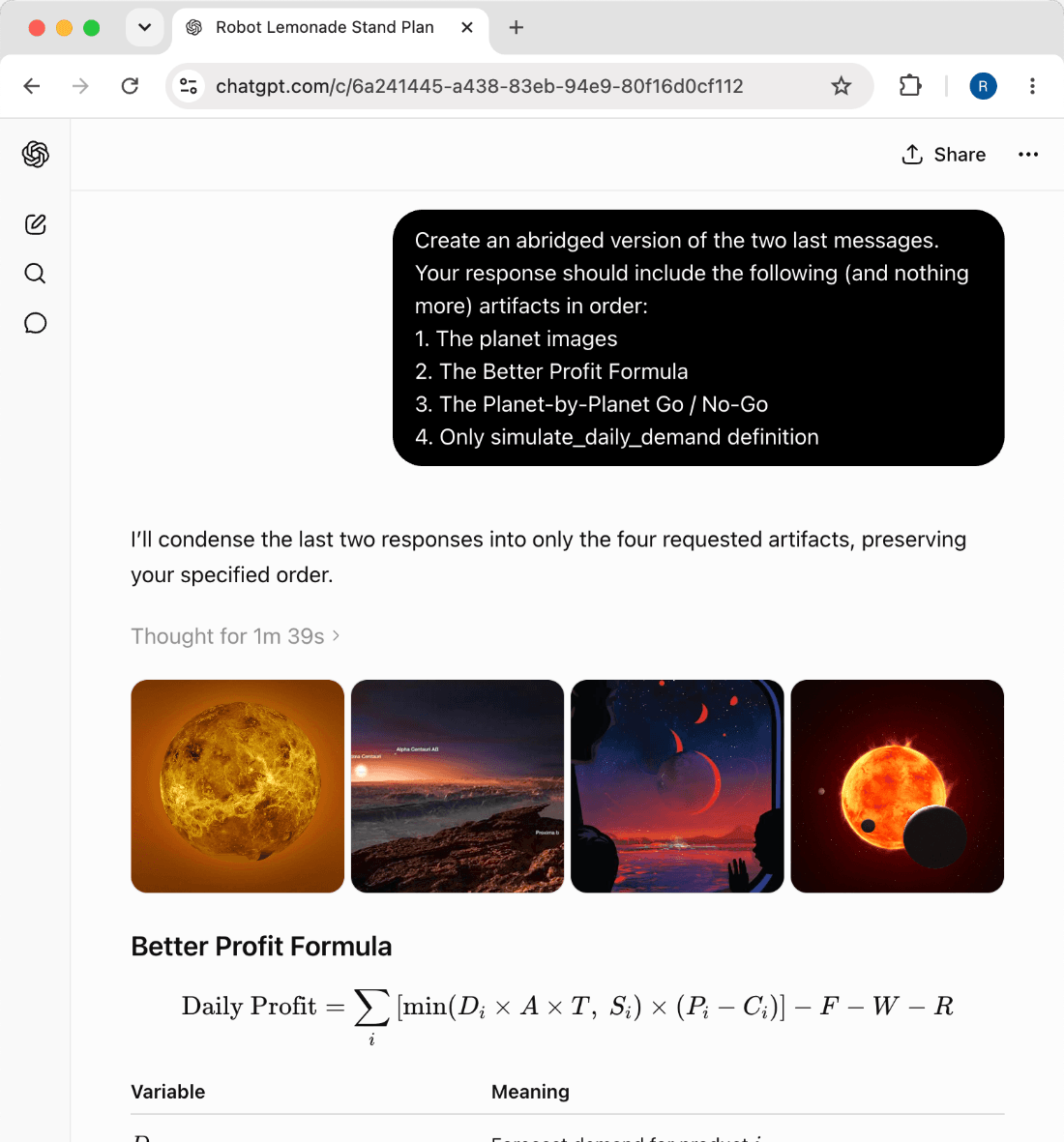
ChatGPT conversation, the source
copied to clipboard0 bytes uploaded · ~12ms
clarishot capture · read-only
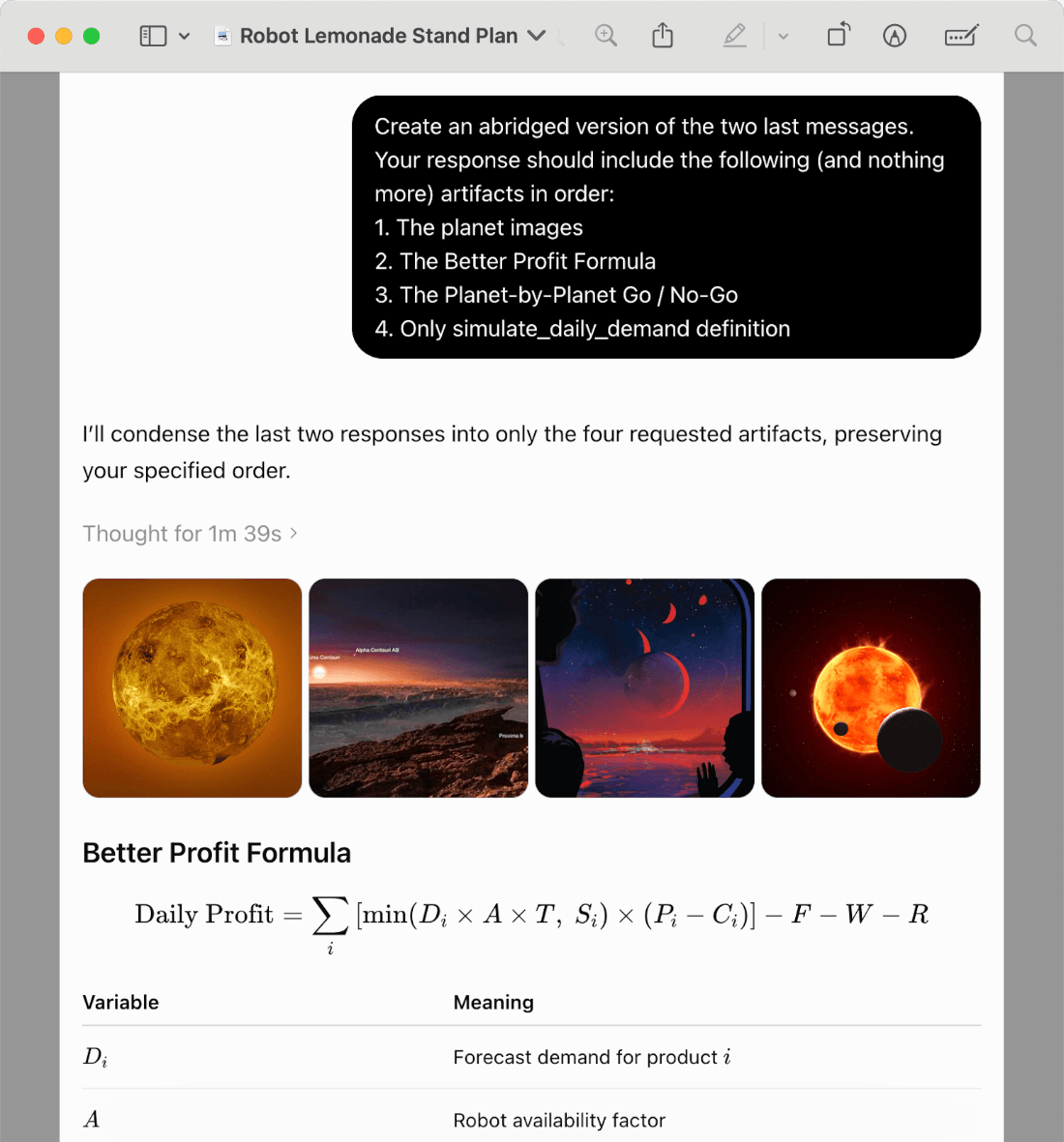
The same conversation captured cleanly by Clarishot

~/capture-modes

How Clarishot captures

Pick a capture mode to see how it works, from a single message to a whole conversation as a PDF.

How it works

1Hover over a message and a camera button appears next to the platform's own Copy button.
2Click the camera .
3The full message lands on your clipboard as a PNG; a checkmark on the camera confirms it's ready to paste.

Best for sharing a single answer in Slack, docs, support replies, or social posts.

Capture a full message, even one that's ten screens tall, top to bottom as a clean PNG. Composed locally, never uploaded.

one-message.mp416 : 9One message · democapture walkthrough · video coming soon

// what early users say

Built for people moving AI answers around

For people who turn AI conversations into docs, tickets, research notes, and client updates.

“I stopped cropping screenshots in Preview. Clarishot gives me a clean image I can paste straight into docs.”
Lena OrtizProduct lead
“Picked messages is the flow I wanted. I can show the exact turns that matter without sharing the whole thread.”
Marcus ChenSoftware engineer
“Whole-chat PDFs are perfect for research notes. Long AI conversations finally feel organized.”
Nora FeldUX researcher

~/use-cases

Where screenshots do the work

Clarishot is for the moments when an AI answer needs to move cleanly into a post, a teammate conversation, or a finished document.

01

Post the exchanges worth showing

Drop a prompt and its answer into an X thread, LinkedIn post, tutorial, or newsletter, exactly as it looked on your screen.

02

Share clean answers with teammates

Paste polished AI responses into Slack, Linear, Notion, or email without the surrounding browser noise.

03

Document research and decisions

Save long conversations as readable PDFs so the reasoning behind a decision is easy to revisit.

04

Put code, tables, and math in decks and docs

Place generated code, tables, math, and diagrams into slides, specs, and internal docs at full size, even the parts clipped on screen.

05

Create client-ready evidence

Show the actual AI conversation behind a recommendation, draft, analysis, or deliverable you hand off.

06

Carry context between AI chats

Move what copied text loses (rendered math, diagrams, charts, and image outputs) from ChatGPT into Claude, Gemini, or Cursor.
/private-by-design

No backend.
No uploads.
No telemetry.

Clarishot captures what you choose and keeps the output on your device. Images go to your clipboard; PDFs go to Downloads.

Local-only captureComposed in the browser on the page you choose.
No uploadsConversation pixels never leave your machine.
No telemetryNo analytics, accounts, tracking, or behavioral logs.
Read-only postureClarishot never changes messages, prompts, or account data.
┌─ YOUR MACHINE ─────────────────
browser
capture engine
clipboard · PNG
downloads · PDF
✓ everything stays here
└────────────────────────────────
✕ no uploads
cloud / backend
EXTENSION BEHAVIOR
clipboardimages only
downloadsPDFs only
networkno backend

~/faq

Questions before you install

A short version of the FAQ for launch. The full FAQ can live on its own page for troubleshooting and sharper edge cases.

ChatGPT, Claude, and Gemini. The capture engine is built around how each app renders conversations, including long chats, code blocks, and tables.

Screenshot tools photograph the whole page and leave the cropping to you. Exporters rebuild your chat in their own template, usually on their servers. Clarishot captures just the conversation, as the platform rendered it, locally.

No. Captures are composed locally. Images go to your clipboard, PDFs go to Downloads, and there is no Clarishot backend.

Yes. Capture one message, a prompt and response pair, a whole range, or picked non-adjacent messages.

Yes. Entire-chat captures load the full history first, then save long conversations as a multi-page PDF.

Yes. Code blocks, tables, math, diagrams, and artifacts can be captured cleanly and at full size.

Chrome and Edge on desktop, or Chromium browsers that install extensions from the Chrome Web Store.

More on capturing, privacy, permissions & troubleshooting →

view all FAQs
$ install
clarishot add-to-chrome --local-only
✓ ready · 0 bytes uploaded · no account required

Clean captures, on your machine.

Add Clarishot to Chrome and turn any AI answer into a polished image or PDF. One click, nothing uploaded.