Pixel-perfect AI chat screenshots in one click.
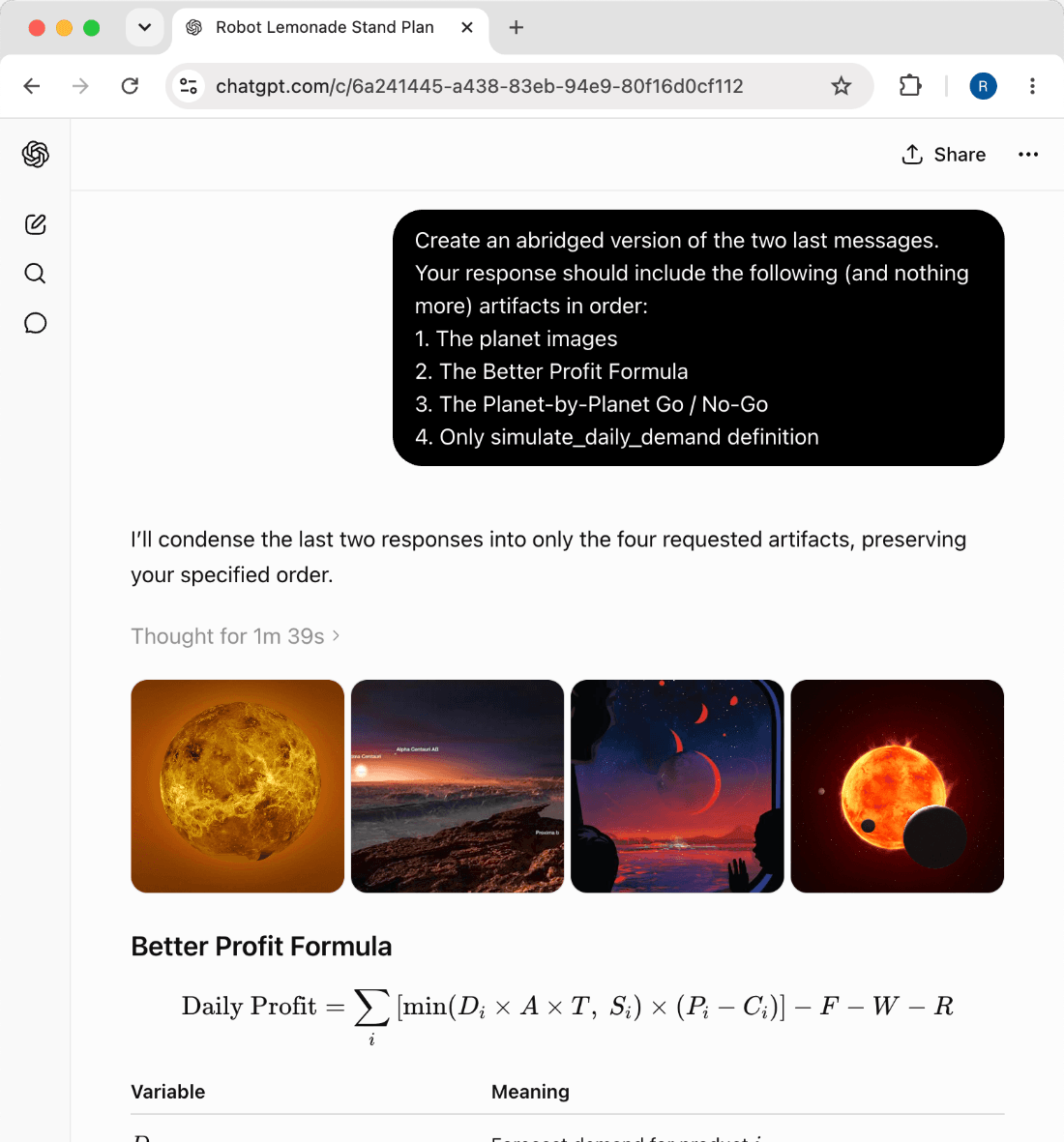
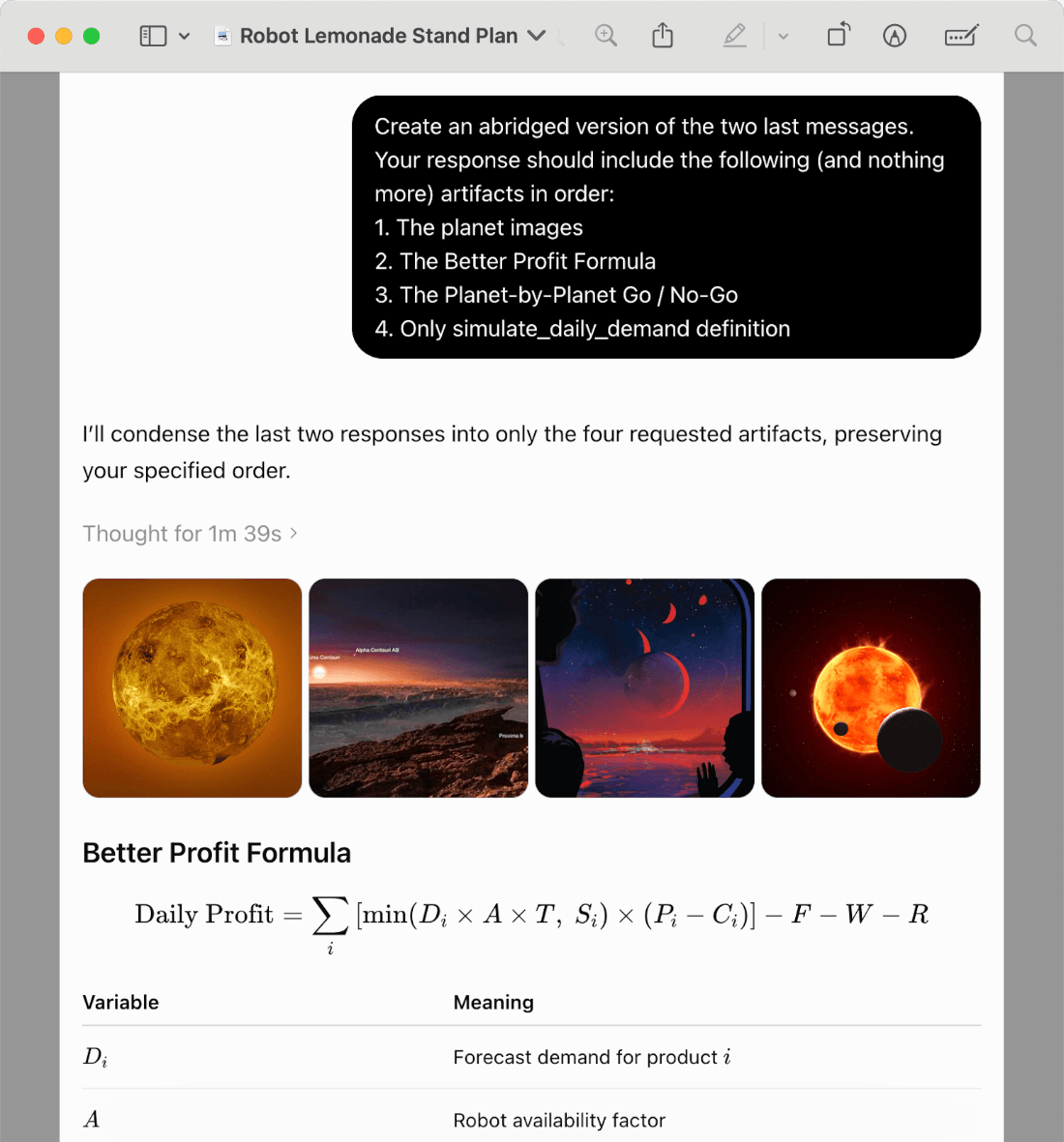
Capture ChatGPT, Claude, and Gemini messages as clean PNGs or PDFs, composed locally in your browser.
~/capture-modes
How Clarishot captures
Pick a capture mode to see how it works, from a single message to a whole conversation as a PDF.
How it works
Best for sharing a single answer in Slack, docs, support replies, or social posts.
Capture a full message, even one that's ten screens tall, top to bottom as a clean PNG. Composed locally, never uploaded.
How it works
Best when the question gives the answer its context.
Capture a prompt and its answer together as one image. Collapsed prompts are expanded automatically so nothing is cut off.
How it works
Best for showing a few key moments from a long conversation.
Pick individual messages anywhere in the conversation and capture only those turns. Gaps are marked, never hidden.
How it works
Best for walking through a sequence of steps or reasoning.
Select a first and last message and capture the span between them, in conversation order.
How it works
Best for sharing generated code, data tables, and visual outputs.
Code blocks and tables get their own camera on every platform (on Claude, equations and diagrams do too), captured at full size, even where the platform clips them on screen.
How it works
Best for research notes, archives, and client-ready records.
Capture an entire conversation from the toolbar. Clarishot loads the full history first, then captures every message.
// what early users say
Built for people moving AI answers around
For people who turn AI conversations into docs, tickets, research notes, and client updates.
“I stopped cropping screenshots in Preview. Clarishot gives me a clean image I can paste straight into docs.”
“Picked messages is the flow I wanted. I can show the exact turns that matter without sharing the whole thread.”
“Whole-chat PDFs are perfect for research notes. Long AI conversations finally feel organized.”
~/use-cases
Where screenshots do the work
Clarishot is for the moments when an AI answer needs to move cleanly into a post, a teammate conversation, or a finished document.
Post the exchanges worth showing
Drop a prompt and its answer into an X thread, LinkedIn post, tutorial, or newsletter, exactly as it looked on your screen.
Share clean answers with teammates
Paste polished AI responses into Slack, Linear, Notion, or email without the surrounding browser noise.
Document research and decisions
Save long conversations as readable PDFs so the reasoning behind a decision is easy to revisit.
Put code, tables, and math in decks and docs
Place generated code, tables, math, and diagrams into slides, specs, and internal docs at full size, even the parts clipped on screen.
Create client-ready evidence
Show the actual AI conversation behind a recommendation, draft, analysis, or deliverable you hand off.
Carry context between AI chats
Move what copied text loses (rendered math, diagrams, charts, and image outputs) from ChatGPT into Claude, Gemini, or Cursor.
/private-by-design
No backend.
No uploads.
No telemetry.
Clarishot captures what you choose and keeps the output on your device. Images go to your clipboard; PDFs go to Downloads.
capture engine
Clean captures, on your machine.
Add Clarishot to Chrome and turn any AI answer into a polished image or PDF. One click, nothing uploaded.